Configure identity management
Configure the identity management in ARIS Advanced.
Prerequisite
You have the User administrator function privilege.
Open ARIS Advanced in a separate tab of your web browser.
Click
 Application launcher >
  Administration.
Click Process Mining.
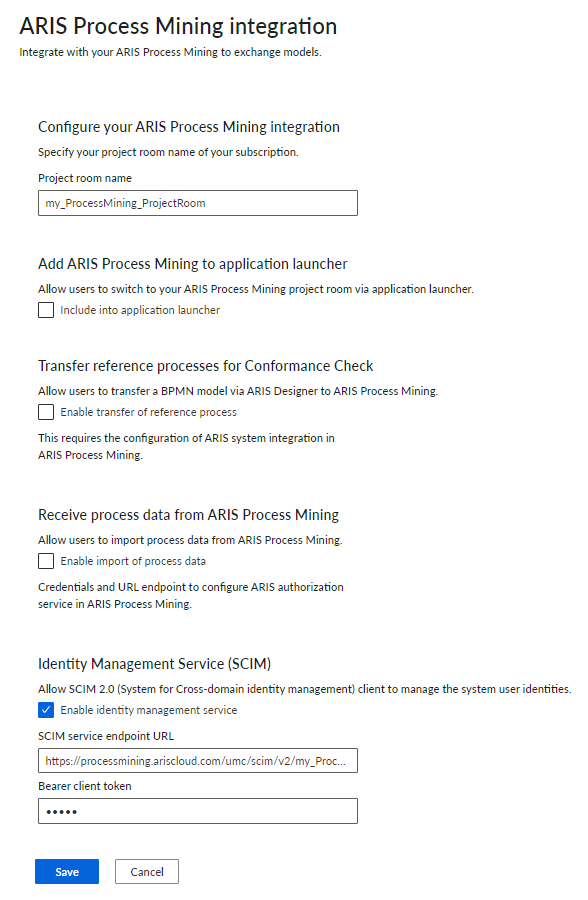
Under Configure your ARIS Process Mining integration, enter the name of the ARIS Process Mining project room you want to connect to, for example, my_ProcessMining_ProjectRoom.
Under Identity Management Service (SCIM), enable the Enable identity management service option.
Enter the SCIM endpoint URL and Bearer client token in the corresponding input fields. The data is provided on the ARIS Advanced integration page where you have enabled the identity management service.
Click Save.
You have configured the identity management.
You can now transfer users from ARIS Advanced to ARIS Process Mining.
Configure identity management in ARIS Advanced.