Transfer users
You can transfer existing users from ARIS Advanced to ARIS Process Mining and you can also remove already transferred users from ARIS Process Mining.
Prerequisite
The identity management service is enabled in ARIS Process Mining.
The identity management service is configured in ARIS Advanced.
Open ARIS Advanced in a separate tab of your web browser.
Click
 Application launcher >
  Administration.
Click User management.
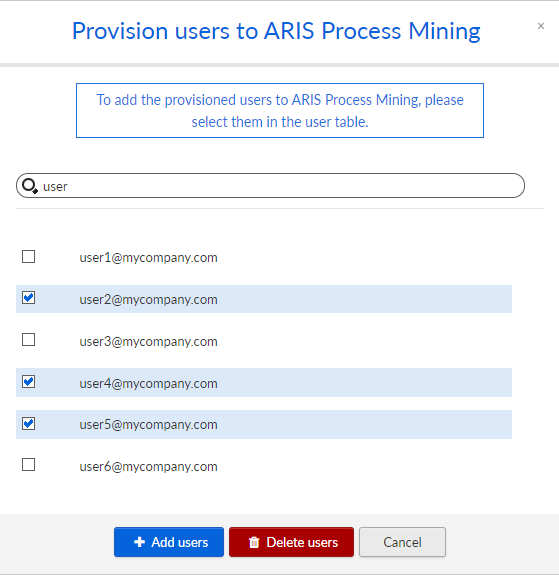
Click Provision users to ARIS Process Mining. The corresponding dialog opens.
Select the users you want to transfer to ARIS Process Mining.
Click + Add users.
If you want to remove the selected users from ARIS Process Mining, click Delete users.
The selected users are transferred to ARIS Process Mining or removed from ARIS Process Mining.
After a user is transferred to ARIS Process Mining, the user will be notified by e-mail that he can log in to ARIS Process Mining.
Note
The transferred users are created in ARIS Process Mining without the required function privileges and user roles. To enable users to log in, you must assign them the necessary permissions and user roles. For details, see the chapter Manage users.
Transfer existing users from ARIS Advanced to ARIS Process Mining.